
©2026 Chris McWain
Weekend Project: Kid's dashboard with alerts
June 15, 2026 at 15:52
Beacon
Every time my wife needs to get the kids' attention, she has two options: walk to the other side of the house or yell loud enough to be heard through numerous walls. Neither option is ideal.
So I built a thing.
Since I don’t ever want the kids to have a phone or a smart watch, the solution would need to involve getting their attention and letting them know Mom needs something from them. It should also be customizable, scalable, and easy for kids to use.
My first plan was to build a custom 3D printed box with a speaker, some LEDs, and an arcade button. The light and sound could get triggered by Mom (TBD) and the kids could ack it with the button. If the kids didn’t respond, it would escalate by a repeated alarm that was louder a few minutes later. It’s possible, but doesn’t exactly solve my problem efficiently.
- What color LED would mean what?
- Do the kids need to memorize a color chart?
- Do I need to hard code color meanings?
- Would colors exclusively relate to urgency?
- Would the speaker play pre-recorded messages or an alarm?
- How would Mom trigger the alert? How would she be notified they heard her?
There were a lot of questions still to be answered. If we added an LCD screen, that would address the message content. No hard wiring color codes and printing a cheat sheet for the kids. Although, I’d have to wire in a screen and drive it with a Pi Pico W, and those are 5x more expensive nowadays. I haven’t priced project screens, so who knows what that would set me back. That would also mean a simple 3D printed box would no longer be simple. It would need a decent power supply with additional wiring and figuring out pixels and message scaling.
The trigger and ack part, at least, was already solved. Rooms, our Discord replacement, could handle that. Getting from Mom’s phone to the kids' ears was still the problem.

There was another option: tie notifications into their laptops, tablets, and Nvidia Shield. The message could hit them if they were using either of the three, but it would be a cacophony of noise if all of those were in their room at the same time. If one was on the other side of the house, others would be annoyed by the alarm noises. It’d be like how Apple users get a phone call and every device in the house goes off. That situation is worse when there are older Apple users living with you because their notification volume is pegged at 100%.
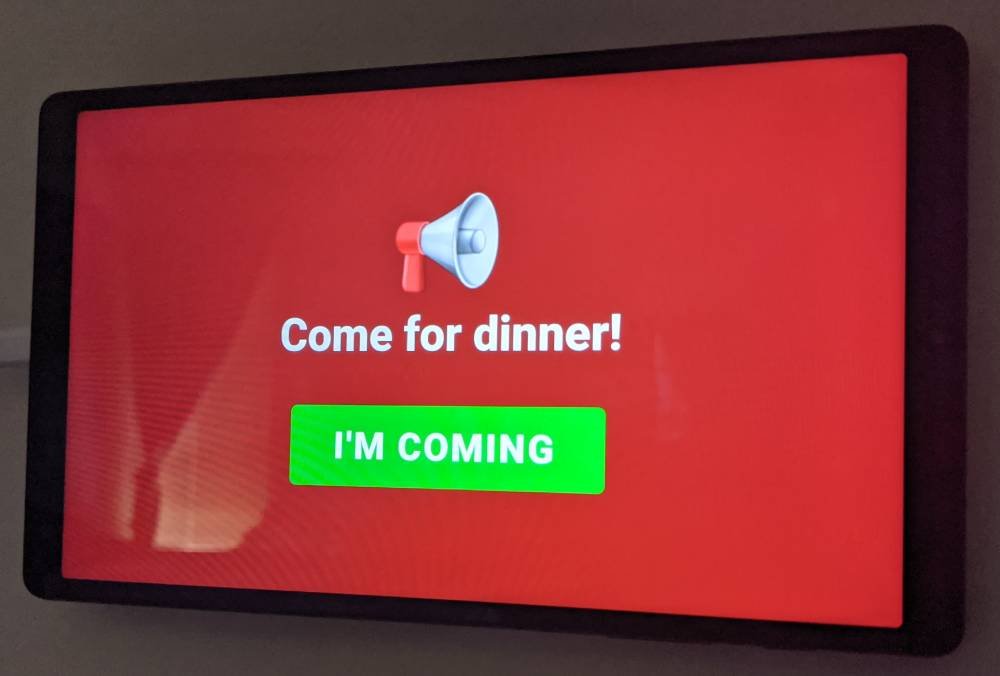
Then it occurred to me that we have old Android devices. My kids both had Samsung Galaxy A1s and they were in good working condition. All it needed was a browser, an always on screen, and WiFi. We could build the logic and the APIs on a locally hosted webpage and customize it however we see fit. Rooms can send a message through a simple /kids command, the site would pop up with the message, an alert sound and a button to confirm, then the kids could tap the tablet screen to ack. It’s perfect and I don’t need to build something from scratch or buy expensive 2026 hardware. Plus, if the tablet fails, we can easily replace it with another one and load the web page independently. The tablet battery doesn’t even need to be good. It could be plugged in all the time.
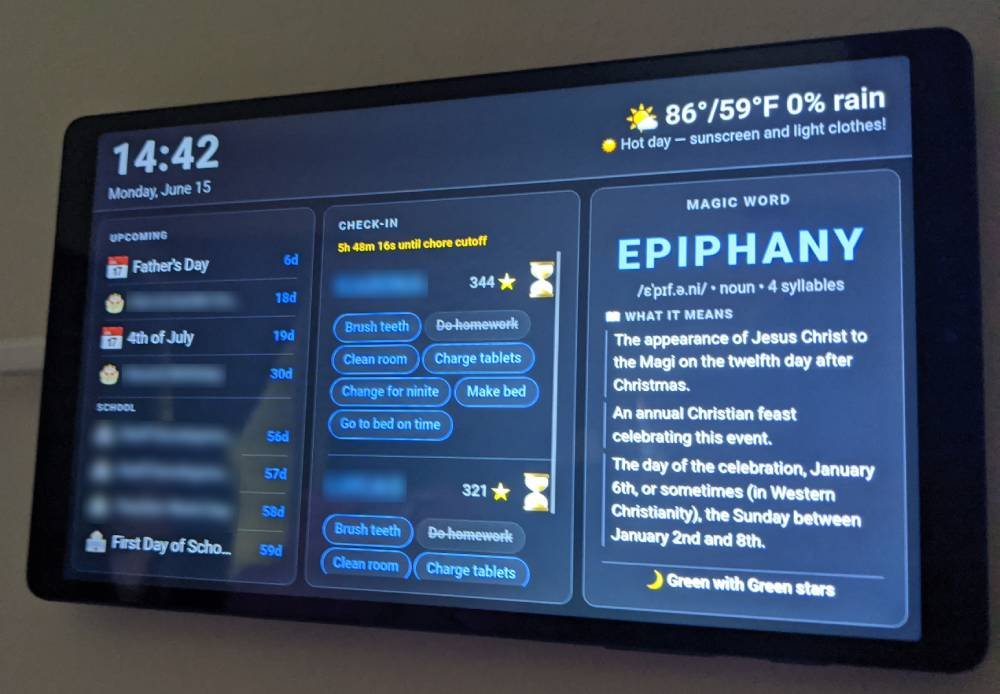
The project went from start to v1.0 yesterday afternoon. The kids chose what app connections they wanted, how it looked, and they’re busy beta-testing it this week. It’s similar to my dashboard, but this version is so much more capable. It has local time, weather, their school calendar, a family calendar, a countdown to upcoming events, their word of the week (I haven’t posted about that one yet), and nightlight star colors. They can check their nightly chores app right from the screen, with a countdown to bedtime, and of course it receives Mom’s alerts.
It’s a simple solution and the kids are loving it. Not bad for a quick weekend project.
Questions or comments?