
©2026 Chris McWain
Optimize Your Life: Meal Prep
June 21, 2026 at 13:02
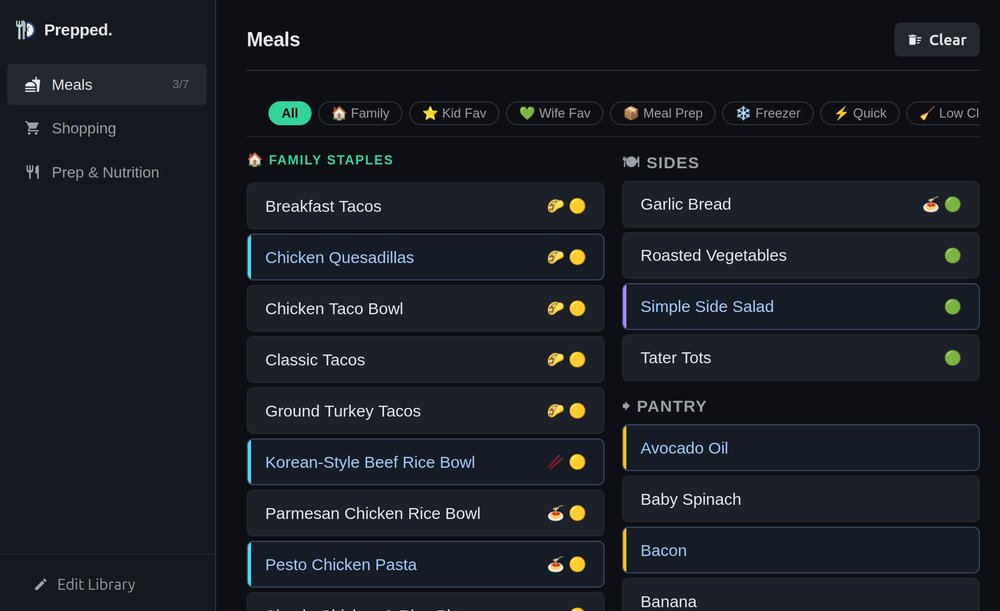
This is a tool I designed for myself, but realized my wife (and possibly others) could benefit from it. It’s a web app that makes meal prep and weekly shopping more efficient by keeping everything in one place - your pantry items, shopping list, regular meals, recipes, and calories.
When I was meal prepping heavily last year, I relied on quite a few go-to meals. My kitchen would typically have everything I’d need for stews, Mexican and Italian dinners, snacks, frozen stuff, and pantry stuff like chicken broth and canned corn. Remembering it all and shopping by feel is fun, but can easily lead to over-spending, over-reaching, and is an inefficient use of time. I prefer to know what is needed and what the plan is - it’s the nerd in me.
So I built Prepped.
Meals
The first thing you’ll see when opening the page is a list of your regular meals. These are stored in the backend in a JSON file, but you can click the Edit button at the left side to add or change details via the UI. The meals are sorted by various tags: Family staples, Wife Favorite, Quick, Easy Cleanup, etc. The names, filters, and icons are fully customizable. On the right side, there is a column that has a list of pantry items and sides.
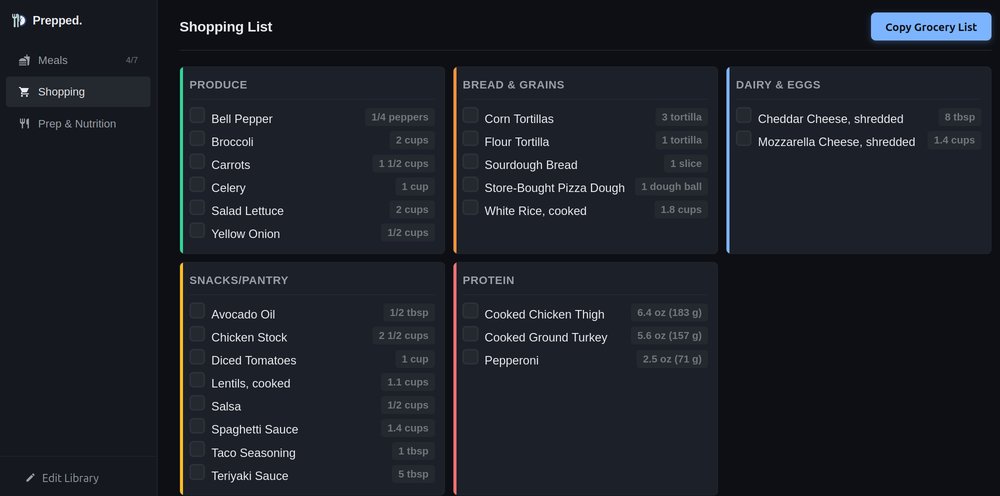
Shopping List
This is something I’m particularly happy with. When you’ve selected all the meals and pantry items you want to restock, all the ingredients are added to the shopping list. Each are grouped into sections as they’re found in the store: Produce, Dairy, Protein, Bread, etc. When you’re at the store, open the site, click the Shopping tab, and check off items as you go. The list is mobile friendly, so it can be used to keep you from walking around aimlessly. You’ll also notice a “Copy Grocery List” button - I’ll talk about that in a bit.
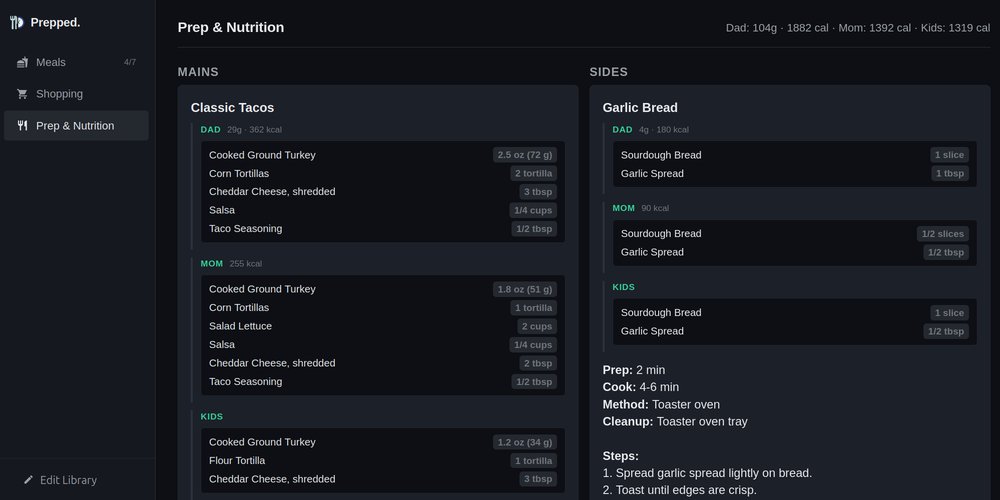
Prep & Nutrition
Here is where we see everything come together. We’ve selected what meals we want to make, the store trip is done, and we brought the food home. All we need now is to know what to do with it all. The Prep & Nutrition section shows you all the ingredients necessary to make the meals you selected, a detailed recipe on how to put it all together, and the nutrition values for everything. You can be as detailed or minimal as you want, since the recipes can be edited in the UI with the Edit button mentioned earlier. When you click on a meal, it’ll pop up front & center for you to cook and read.
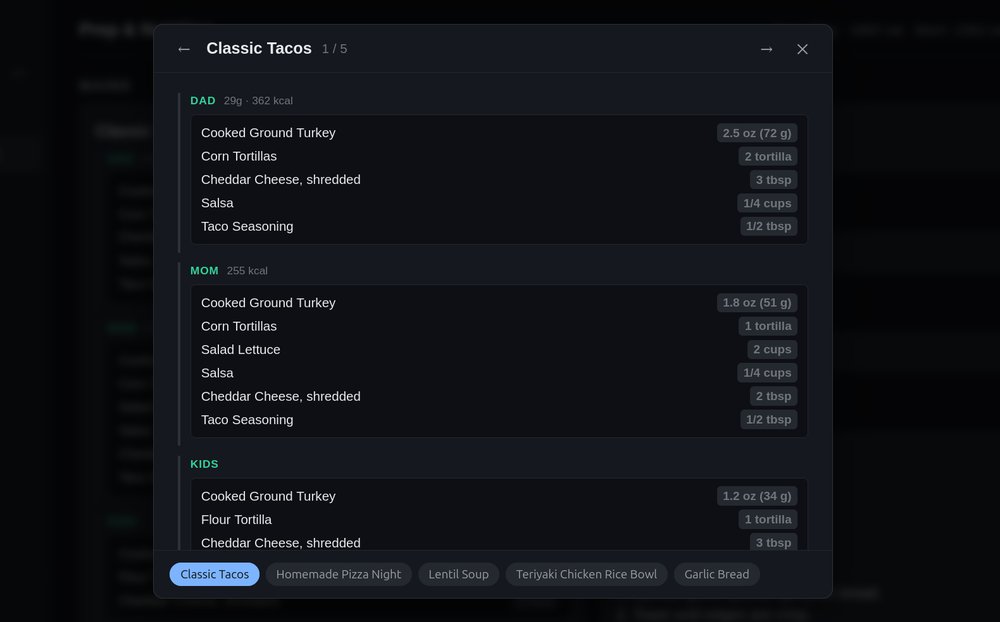
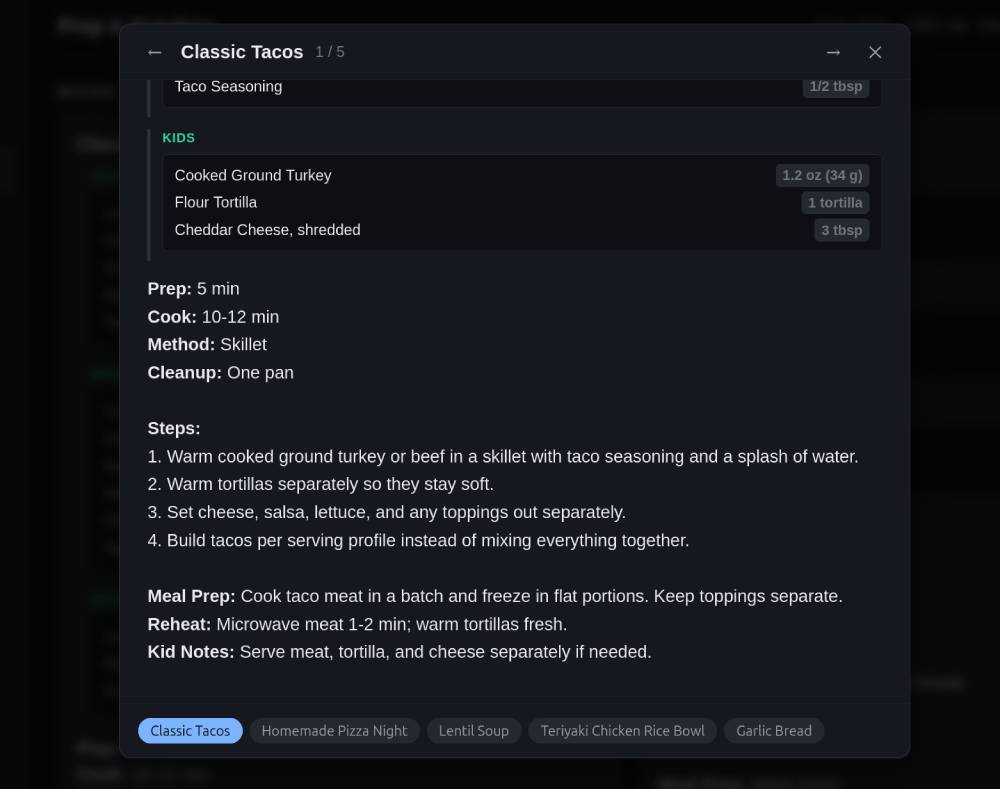
Clicking on any one of the meals will bring up a recipe mode where you can view it full screen on your device. I have my meals split into how much to prep for me, my wife, and my kids, along with the numbers that matter - calories for my wife and protein count for me.
Scrolling further down will bring up the recipe, steps, and additional instructions that are easily editable in the menu on the left sidebar.
Copy Grocery List
This button only applies if you’ve been paying attention to my other apps - Mark (a self-hosted note-taking tool) and Focus (a task manager). If those are set up, the button automatically creates a new note in Mark under Shopping with the date and your full ingredient list, also grouped by where they’ll be in the store. It also creates a task with the meals you plan to make and a link back to that note.
The copy button also generates a unique URL you can share with anyone. My wife asks what I want from the store, I send her the link, and she opens a pre-populated shopping list ready to go. It’s also handy if you want to build the list and come back to it later.
You don’t need my entire suite of apps installed and running on your server. The button also copies the list to your clipboard so you can paste it into your favorite task manager (cough TickTick) or into Google Docs for printing if you’re old school.
Download and Use
It’s trivial to manage your meals and ingredients, and even easier if you do it in bulk with the JSON files meals and components. I made this to be an easy solution for managing our family’s weekly shopping trips. You can download the source here - it’s free, easy to set up with the included README, and there’s no tracking or ads. You’re free to modify and use it however you want. Just do me a favor and let me know if it made your life easier.
Questions or comments?