
©2026 Chris McWain
Optimize Your Life: Task Management
June 4, 2026 at 17:19
Tasks & To-Do’s
Google Calendar and Keep were my original go-to for managing tasks. The problem was that Calendar is designed to handle scheduling meetings and Keep was only good at handling grocery lists. Neither of them helped get things done and using both tools together was somehow worse than using either one alone.
I have been a Technical Program Manager for nearly a decade now, and preach task management / second brain concepts to everyone I meet. No one invites me over to dinner anymore because it’s one of the few things that come out of my mouth. I have given numerous presentations on managing tasks, notes, and minimizing the overwhelming amount of information that is constantly in our faces. I was considering sharing one of those slide-decks but realized they’re boring, dry, and would scare away a lot of my regular readers. The posts on this site are meant to share fun and interesting solutions to everyday problems and not for you to sit in a boring lecture.
My ideas on organization remain the same whether we are talking about bookmarks or tasks. The things you need right now should be front and center, while everything else runs quietly in the background for easy retrieval. What made me find clarity in task management was simplification. I genuinely dislike using multiple tools to solve one problem and really hate looking for stuff. A good task manager handles both. It tells you about your day, your week, and even your year. It will be there for you, even when the rain starts to pour. ♫
The problem
A proper task manager does things that Calendar, Keep, and Kanban boards can’t. It handles priorities so the important things surface first. They have recurring tasks, so “take out the trash every Tuesday” is set once and handled forever. It groups tasks into lists or categories, and it keeps notes inside the task itself so everything relevant lives in one place. Most of what I tried before either missed several of these concepts entirely or buried them behind enough friction that they weren’t worth using.
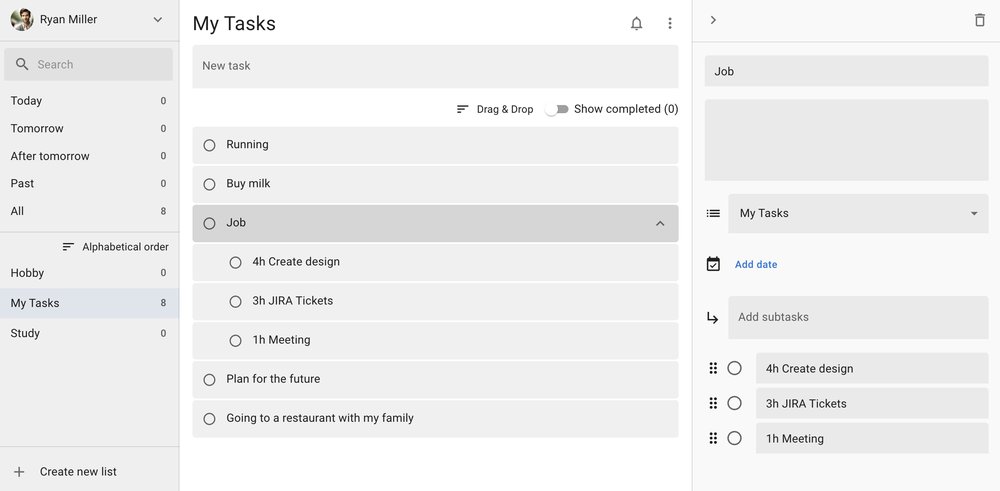
Google Tasks was the obvious first attempt. It’s a proper Google product that isn’t one of their headliners, and it shows. The company likes to build things, push them when they’ve reached a half-ass status, market them as the solution to your problem, then forget about them while they collect dust and ignore feature requests. With the resources and infrastructure Google has, there’s no excuse to not build a task manager that could compete with Todoist, let alone demolish it. They could tie it into their AI and make it the missing link between Calendar and a decent notes app, which they also need to build.
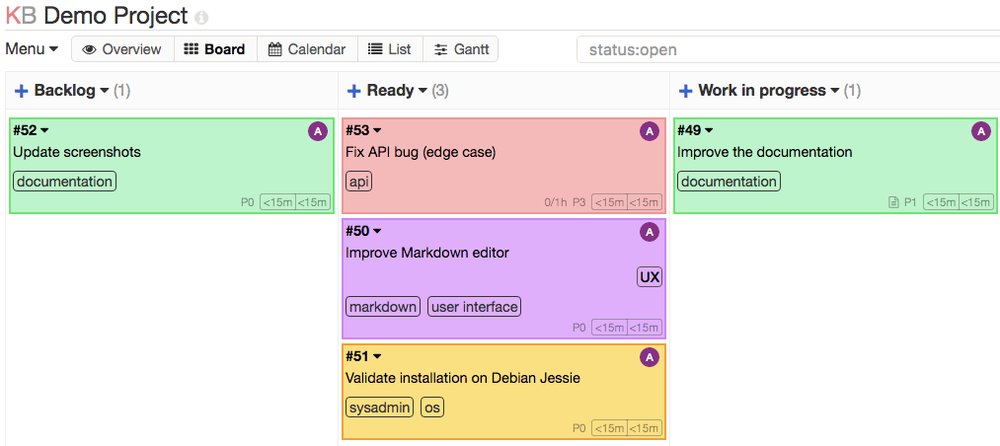
After giving up on Calendar, Tasks, and Keep, I tried most every self-hosted option available. Awesome Selfhosted and Noted have a long list of great options.
I had even used Trello and then Kanboard for about a year. They worked well enough until the task count grew. The real issue was that I was trying to make my workflow fit within a tool, and it should be the other way around.
I eventually gave in and tried Todoist - and even preached it as the perfect solution for a while. Then one day they moved the search bar to the bottom of the phone screen and left no option to put it back at the top. I brought this up in the Todoist subreddit, but the fanbase was argumentative and hostile. The general consensus was to deal with it or take my stupid, fat, ugly face somewhere else. So I did.
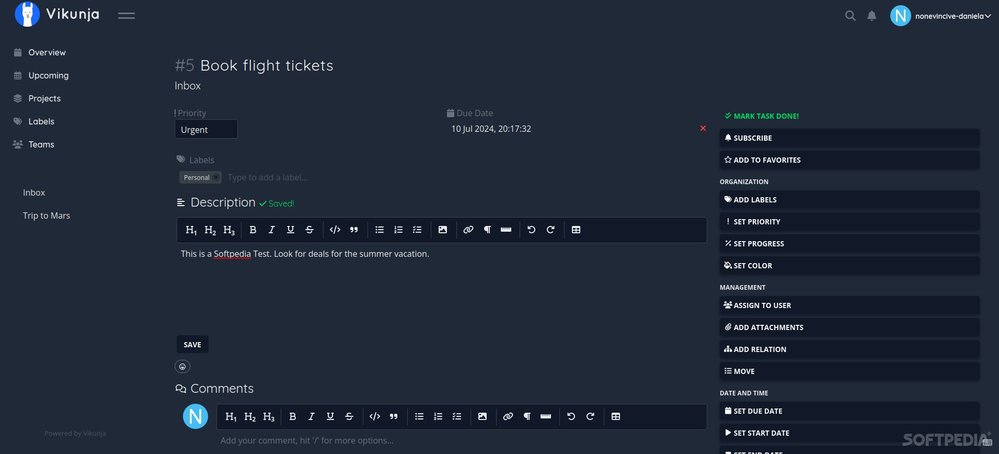
In the meantime, I was waiting around for Vikunja, which is a self-hosted app with a lot of potential. The developer was extremely responsive and clearly had a solid vision. The problem was that it was difficult to set up, resource intensive, and the UI needed more polish. It never hit the stability I needed, and the tool just didn’t fit what I was looking for. It’s too bad, really.
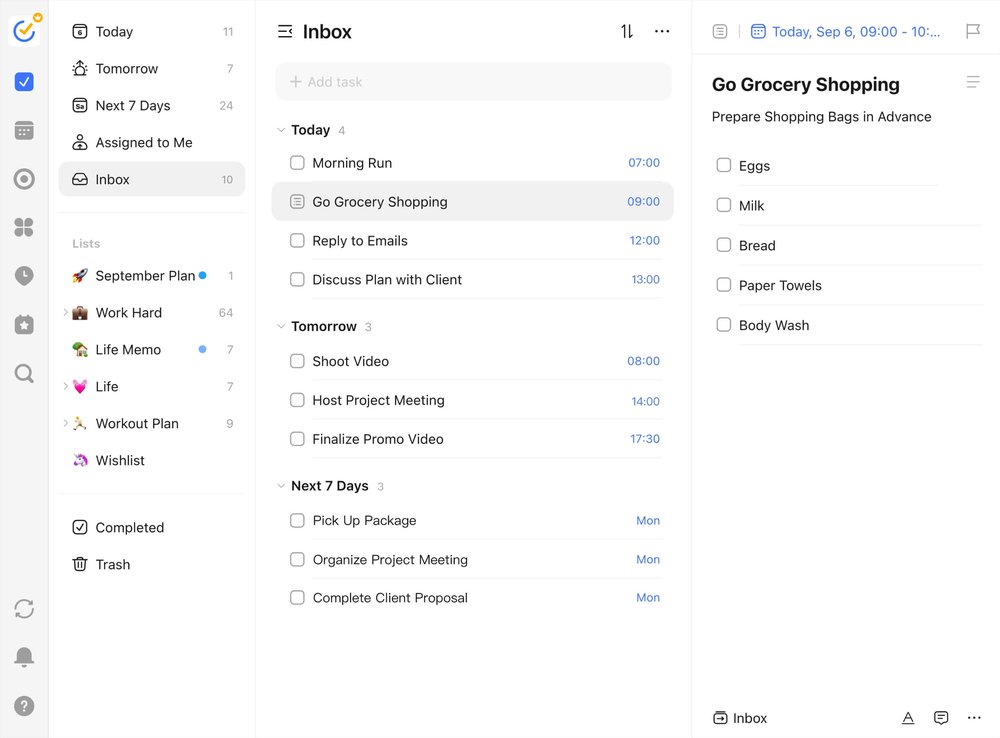
TickTick was next, and it was everything that I needed. I still tell people that TickTick is where they should start their task management journey. In fact, I just set my mom up with it last month. Her eyes lit up when she discovered how easy it is to manage all her projects and hobbies. TickTick is real easy to set up, their support staff responds quickly to bugs, and they don’t lock critical features behind a premium paywall. I used it for years, but eventually wanted more out of it.
The only problem was that TickTick’s API is pathetic. I had built a Python script that pulls every open task from my Work list to send to my manager during our weekly one-on-one chats. TickTick made retrieving that data incredibly difficult. I just needed something that combined the best of everything out there and allowed adding features that I wanted. The search bar being at the top was non-negotiable. Nobody can take that away from me now.
Building Focus
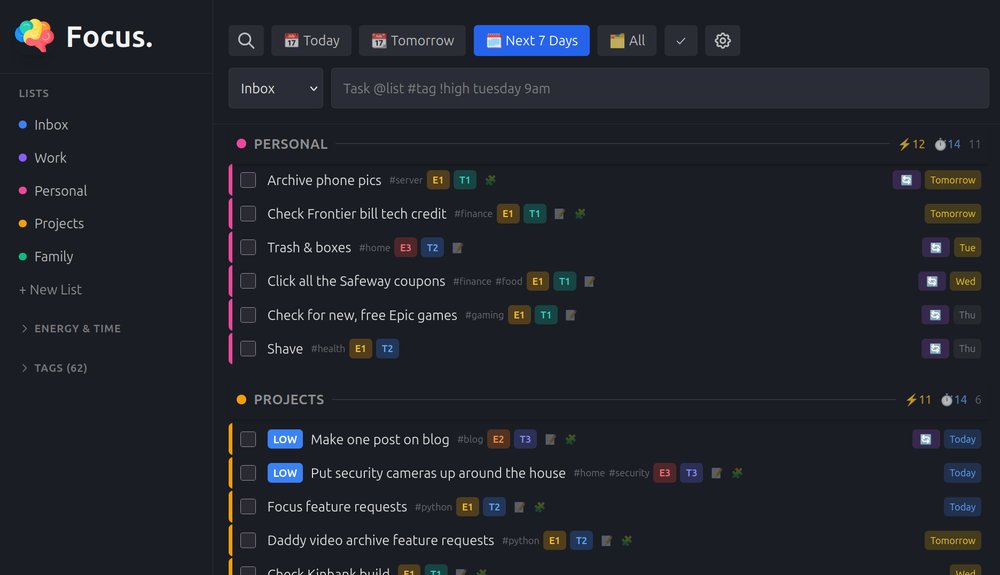
The app I look at first thing in the morning is my task manager, which stays open all day on my desktop and my work laptop. High-level details like next steps go directly into the task, while links and granular details belong in separate Markdown notes. I usually keep both Focus and Mark, my Markdown notes app, handy throughout the day. Notes are linked directly in the task for easy access, so when a meeting comes up, everything I need is already there.
Task managers are a great second brain. When I come up with something that needs to get done but I’m way too busy to assign a list, priority, or tags, I’ll just throw the task in and move on. When I have time to come back to it, I open Focus and see those tasks pop up in the default Inbox. For example, I was washing the dishes recently and remembered that I needed to check on the status of an Amazon return. I opened my phone, typed in “check amazon return status”, and closed my phone. It will be there when I get time. Building Focus around simplicity makes it work around me and not the other way around.
Core functionality
I genuinely hate pop-ups and user-hostile design that gets in the way. For example, menus that move under your mouse, buried submenus, or an overwhelming number of options just to do one thing (looking at you OSX). Getting things done should be the only thing on your mind. Focus is built around that idea.
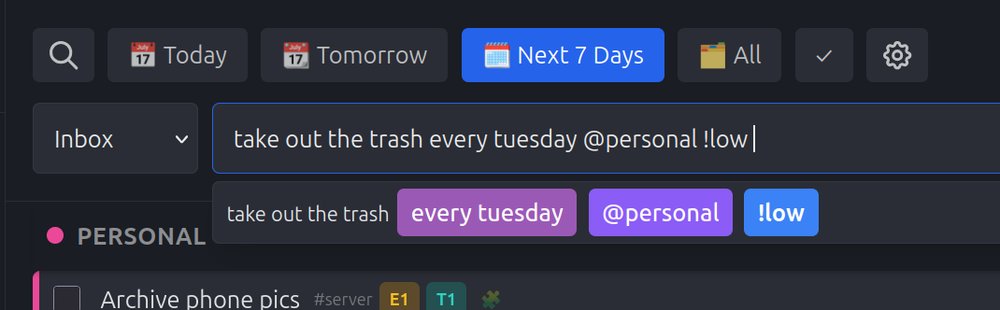
Typing “take out the trash every Tuesday” in the input bar takes two seconds. Focus parses it automatically, sets the due date, tags, lists, priority, and recurrence from plain text. You don’t need to click through a bunch of submenus to set up a repeating schedule. Typing every Tuesday or every 3 days sets the rule. When you complete a task, it’ll schedule the next occurrence automatically.
Because Focus has a clean API, automating interactions takes nothing more than a simple curl command or script. For example, I built a custom grocery app (more on that later) that organizes my weekly shopping list by store section (produce, dairy, bread, protein). When I’m ready to shop, I click a button in my grocery app that hits the Focus API to create a dedicated shopping task. The task lands in Focus with high-level details about what meals I’m making for the week, alongside a direct link to a generated Markdown note. Opening that note reveals a clean, structured checkbox list of every ingredient broken down by aisle. This gives your other tools a way to set up your day without needing to always do things manually.
Focus also generates a read-only ICS feed for each list, which you can subscribe to in Apple Calendar or Google Calendar. I’ve already added a feature to pull in an ICS calendar for managing events in Focus, but it needs more testing before that is shared with y’all.
Tracking capacity
I typically find myself managing both energy and time, and setting basic priorities on tasks doesn’t tell the whole story. A task might be urgent, but that doesn’t mean I actually have the capacity to get everything done today. To solve this, I added optional time and energy scales. The time cost scale ranges from T1 for quick tasks under 30 minutes, up to T3 for deep, extended blocks. The energy scale works the same way: E1 is low effort, E3 is a heavy drain. Grocery shopping or spinning up a new work project lands in T3/E3 territory. Replying to an email or fixing a small bug is T1/E1.
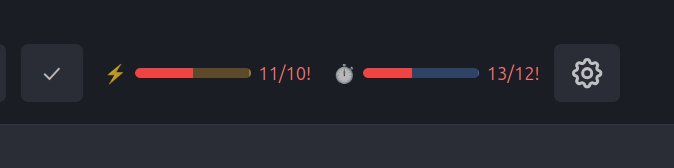
At the top of the UI, dedicated progress bars track these two metrics against your daily targets. They evaluate your scheduled tasks for the day and clearly show if you’re over capacity. I’m usually more ambitious than realistic, which historically meant reaching the end of the day and pushing leftover items to tomorrow. With Focus, I set my daily capacity limits and adjust my workload in the morning until the list contains only what I can reasonably accomplish. Today, for instance, my header bar shows I’m sitting at an Energy capacity of 16/15 and a Time capacity of 19/15. A few things will need to be adjusted, but we’ll see how the day goes.
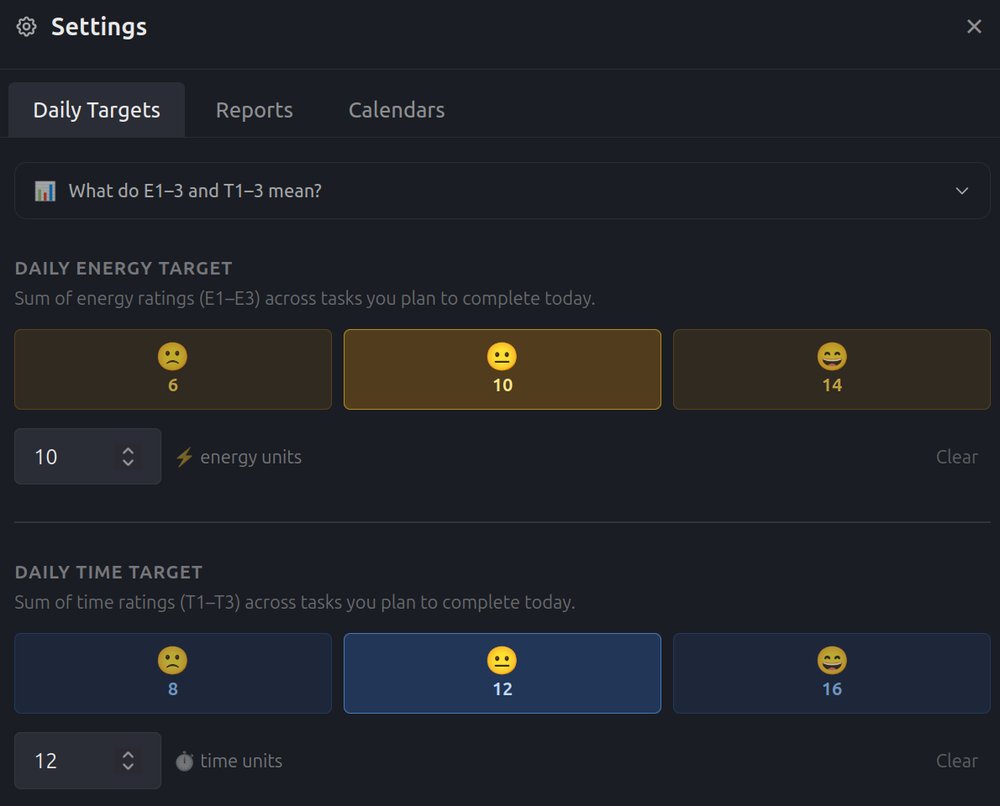
Setting your capacity targets is real easy. Focus has a mood selector with three options: happy, sad, or energetic. I learned that from the hospital’s 1-10 pain scale. Clicking one applies default capacity values for both time and energy. The numbers are still manually adjustable, but on most mornings picking a face is enough. Once the day is planned, a report generator can export either rich text for pasting into a Google Doc or Gmail, or Markdown for interacting with AI. I built an AI skill called Daily Digest that takes the Markdown output and uses it to schedule and summarize my day. The whole morning routine, from setting capacity to handing the report off to an AI, takes a few minutes.
Backend
Focus is really lightweight as it runs on Python 3 with FastAPI and SQLite on the backend with React and Vite on the frontend. These are two separate processes that are completely independent. You can run them persistently using the provided systemd user service files, or drop them into a tool like Screen for simplicity. Backing up your data requires nothing more than copying the single SQLite database file (ticlite.db), which fits into whatever automated backup scripts you already have. The frontend is also a PWA, so you can “install” it on your phone with your browser.
Building this was heavily AI-assisted. It would have taken me ages otherwise. I mention AI because there were quite a few major issues during development. At one point I wanted to add a small UI feature and the tool (VSCode w/AI) failed halfway through writing, deleting a significant chunk of the most critical file in the app. I had to stay up until 03:00 just trying to get basic functionality back. That was enough to push me to set up a local git (Forgejo) repository - which I’m loving. Some of the UI in Focus looks completely different now than they did last month, but overall I’m more pleased with the result having had to re-write it.
Features
- Natural-language quick-add
- Parses due dates, times, tags, lists, priority, and recurrence when typing natural language and symbols in the input bar
- Lists and tags
- Organize tasks with named lists with color-coded indicators
- Priority
- HIGH, MED, and LOW levels, color-coded and sorted automatically
- Energy and time tracking
- Rate tasks E1–E3 and T1–T3, daily progress bars show planned vs. completed vs. capacity
- Cron recurrence
- Full 5-field crontab syntax, completing a recurring task schedules the next occurrence automatically
- Per-task Markdown notes
- Live preview, copy button, and safe HTML rendering
- ICS calendar feeds
- Read-only per-list feed in Apple Calendar or Google Calendar
- REST API
- Full CRUD, quick-add endpoint, report generator, details in README
- PWA
- Installable as a PWA on iOS and Android from the browser
- Resource-light
- Under 100MB RAM, SQLite only, can easily run on a Raspberry Pi - if you can afford one of those things these days
Download
Grab it here, packaged in zip with everything you need to get started. Be sure to look over the README for instructions how.
Focus is solid enough to switch over from your current task manager if you wish. I’ve been using it since last fall, and it’s built simple enough to address any bug or feature request that comes up. It’s a personal tool customized exactly how I work, with no cloud nonsense, subscriptions, paywalls, or wondering who is looking at your stuff.
Deploying and developing Focus takes a little more effort than the other tools on this site, but the control you get back makes it all worth it. However, if you aren’t quite ready to run your own server, TickTick is still the best place to start. Whichever tool you choose, the most important thing is that you start managing your tasks today.
Questions or comments?