
©2026 Chris McWain
Self-Hosted Lossless Music Streaming
August 16, 2025 at 09:50
I’m absolutely loving my new streaming audio setup. For years, I’ve been frustrated with the limitations of paid music services. Spotify doesn’t offer lossless audio, Apple Music’s format is proprietary and locked, and with any of them, you don’t truly own your music. I don’t own it now, but we didn’t own it before either.
I wanted something better: lossless quality, total control over my library, and the freedom to listen on any device at anytime. So, I put together my own streaming service using open-source software. It’s considerably more flexible and powerful than any paid service I’ve ever used - and that includes modding🏴☠️ Spotify through the roof.
The Core: AirSonic
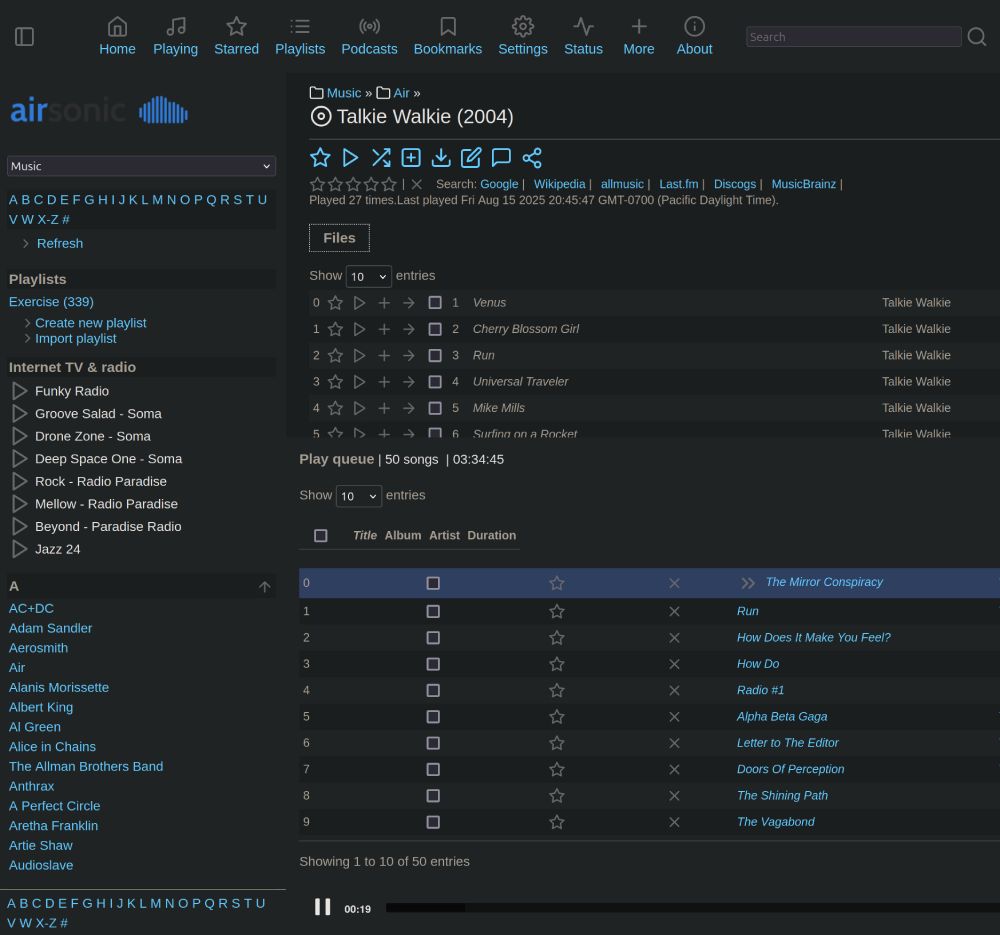
The heart of my system is AirSonic Advanced. It’s a free, open-source media server that I run on a remote server somewhere in the Netherlands. It takes my folder of FLAC files and turns it into a full-fledged streaming service with support for podcasts, internet radio, playlists, and a ton more.
I’m a big fan of Docker1, so I used the LinuxServer.io Docker image to get it running. It’s incredibly easy to set up, and if you’re new to Docker, they have a great getting started guide that will get you going quickly.
How I Listen: Web and Mobile
With the server running, I can stream my music from anywhere. At home, I just use the AirSonic web app, which works great.
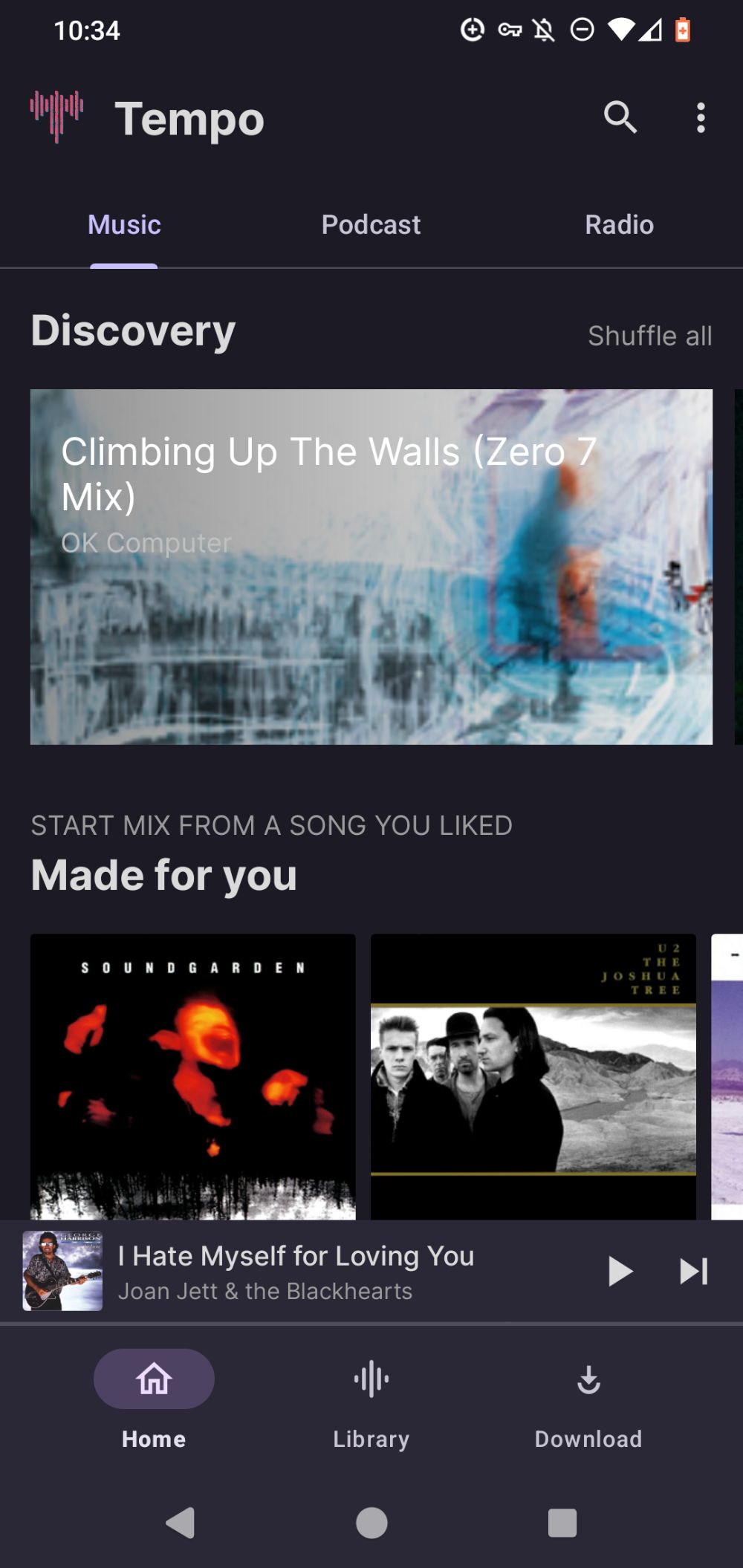
For listening on the go, I found a really cool Android app called Tempo. It connects directly to my AirSonic server, has a really nice UI, and is packed with features. I got it from F-Droid, because no Google app will touch my phone!
Cool Parts: Scrobbling
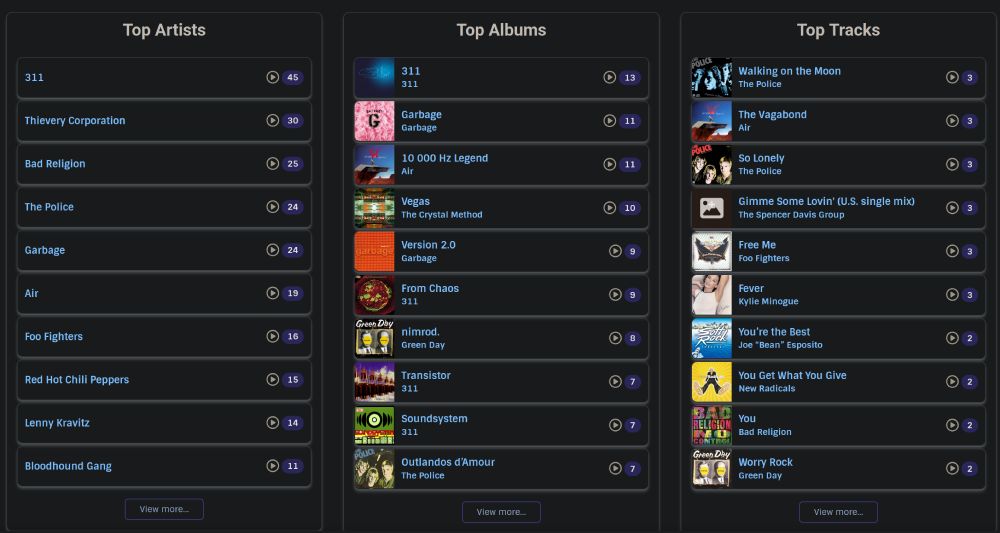
One of my favorite features is “scrobbling”2. AirSonic has native support for ListenBrainz, which automatically logs every song I play.
This creates a database of my listening habits, letting my inner data nerd run wild with all kinds of cool stats and analytics about what I listen to most.
A Fun Bonus: Tweeting Top Artists
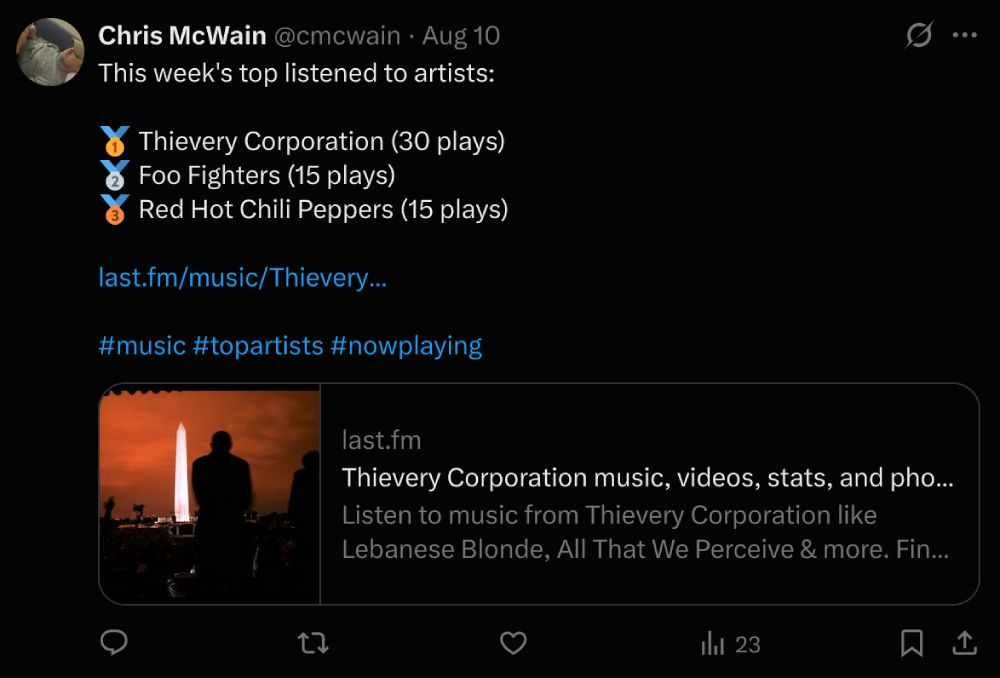
Because ListenBrainz creates an RSS feed of my history, it’s clear that something fun can be done with it. I wrote a small Python script that pulls my listening data once a week and automatically posts my top 3 artists to Twitter. It’ll mostly post that Thievery Corporation and Tool are my top picks, though. It’s a fun way to share what I’m into. Below is the script if you want to try something similar:
top_music_tweeter.py
import requests
import xml.etree.ElementTree as ET
from collections import Counter
import tweepy

# --- Twitter Credentials ---
API_KEY = "API_KEY"
API_SECRET_KEY = "API_SECRET_KEY"
ACCESS_TOKEN = "ACCESS_TOKEN"
ACCESS_TOKEN_SECRET = "ACCESS_TOKEN_SECRET"

def get_top_artists_from_url(url):
    try:
        response = requests.get(url)
        response.raise_for_status()
        root = ET.fromstring(response.content)
        ns = {'atom': 'http://www.w3.org/2005/Atom'}
        titles = [entry.find('atom:title', ns).text for entry in root.findall('atom:entry', ns)]
        artists = [title.split(' - ', 1)[1] for title in titles if ' - ' in title]
        return Counter(artists).most_common(3)
    except requests.exceptions.RequestException as e:
        print(f"Error fetching URL: {e}")
        return []
    except ET.ParseError as e:
        print(f"Error parsing XML: {e}")
        return []

def format_tweet(top_artists):
    if not top_artists:
        return "No listening data found to generate the tweet."

    tweet_lines = ["This week's top listened to artists:", ""]
    for i, (artist, count) in enumerate(top_artists):
        emoji = ""
        if i == 0:
            emoji = "🥇 "
        elif i == 1:
            emoji = "🥈 "
        elif i == 2:
            emoji = "🥉 "
        tweet_lines.append(f"{emoji}{artist} ({count} plays)")

    tweet_lines.append("")

    top_artist_name = top_artists[0][0]
    lastfm_artist_name = top_artist_name.replace(" ", "+")
    tweet_lines.append(f"https://www.last.fm/music/{lastfm_artist_name}")

    tweet_lines.append("")
    tweet_lines.append("#music #topartists #nowplaying")

    return "\n".join(tweet_lines)

def send_tweet(content, consumer_key, consumer_secret, access_token, access_token_secret):
    try:
        client = tweepy.Client(
            consumer_key=consumer_key,
            consumer_secret=consumer_secret,
            access_token=access_token,
            access_token_secret=access_token_secret
        )
        response = client.create_tweet(text=content)
        print("--- Tweet Sent Successfully! ---")
        print(f"Tweet ID: {response.data['id']}")
        print(f"Link: https://twitter.com/user/status/{response.data['id']}")
        print("------------------------------")
    except Exception as e:
        print(f"An error occurred while sending the tweet: {e}")


if __name__ == "__main__":
    listenbrainz_url = "https://listenbrainz.org/syndication-feed/user/{user}/listens?minutes=10080"

    top_artists = get_top_artists_from_url(listenbrainz_url)

    if top_artists:
        tweet_content = format_tweet(top_artists)
        send_tweet(
            tweet_content,
            API_KEY,
            API_SECRET_KEY,
            ACCESS_TOKEN,
            ACCESS_TOKEN_SECRET
        )
    else:
        print("Could not generate tweet because no artist data could be read.")
Final Thoughts
It’s a bit of a project to set up, but it’s incredibly rewarding to have a much improved listening experience. Feel free to hit me up on Twitter with questions & feedback!
Footnotes
-
Imagine you’re planning a picnic, and you pack everything your favorite dish needs: ingredients, utensils, even a tiny stove. These all go into one special box so you can cook it exactly the same way wherever you go. Docker does the same for software. It bundles apps with everything they need, ensuring they work perfectly whether on your laptop, a server, or even in the cloud, so you never have to worry about missing ingredients. ↩︎
-
Scrobbling is the process of automatically tracking and recording the music you listen to on your devices or streaming services. Each time you play a song, a “scrobble” is created, which logs details like the track name, artist, and when you listened to it. Services like ListenBrainz and Last.fm use scrobbling to build your listening history, help you discover new music, and create personalized recommendations based on what you play most. ↩︎
Questions or comments?